WORKFORCE INTELLIGENCE PLATFORM
Attendance & Productivity Tracking Software
Professional-grade, privacy-friendly attendance software with automated clock-in/out, idle detection, activity insights, and accurate reporting—built to scale with growing teams.
5 - Average Rating
- Free 30-day trial
- No credit card required
- Cancel anytime


24/7 Customer
Support

Real-Time Employee Tracking

Stable & Performance-Ready

Advanced Security and Data Privacy
Key Features – Office Punch
Overtime tracking
Reports
Project & task management
Shift scheduling
Billable hours
Burnout risk
Automated time tracking
Employee GPS tracking
Payments
Billable
hours
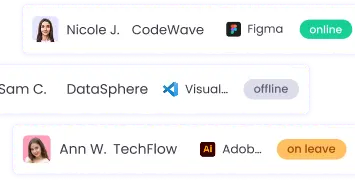

Real-time tracking

Smart monitoring

App & web tracking
Attendance monitoring
Screenshots
Inactive & idle tracking
Project budgeting
Payments
Offline time tracking
Work-life balance
Break tracking
Unusual activity monitoring
Activity tracking
Invoices
Attendance, Activity & Workforce Insights
Access complete workforce data with detailed reports, activity logs, and historical insights to improve productivity, ensure compliance, and make smarter team decisions.
Daily Work Summary
Monthly Workforce Report
Time & Activity History
IN / OUT Activity Logs
Late & Missed Punches
Screenshot & Activity Review
Why Teams Choose Office Punch
Built to give teams accurate attendance, clear productivity insights, and complete control—without complexity.
Automated Attendance
utomatically track employee attendance without manual punch-ins. Office Punch handles clock-in, clock-out, and idle time detection to ensure accurate work hours with minimal effort.
Perfect for remote, hybrid, and in-office teams.
Key highlights
- Auto clock-in & clock-out
- Idle time detection
- Accurate work-hour tracking
- No manual attendance errors
Productivity Insights
Get clear visibility into how work hours are spent across your team. Office Punch breaks down active, idle, and productive time to help managers understand work patterns and improve efficiency.
Ideal for identifying focus trends and performance gaps across teams.
Key highlights
- Active, idle, and productive time breakdown
- Daily and monthly productivity summaries
- App and activity-based insights
- Better visibility without micromanagement
Smart Monitoring
Monitor work activity in real time without disrupting productivity. Office Punch provides smart tracking signals to help managers stay informed while giving teams the freedom to work naturally.
Designed to balance visibility, trust, and accountability across teams.
Key highlights
- Real-time activity and status monitoring
- Active and idle time detection
- Smart alerts for unusual behavior
- Visibility without intrusive tracking
Detailed Reporting
Generate clear, accurate reports to track attendance, work hours, and activity trends. Office Punch provides detailed daily, monthly, and historical reports to support better decisions and compliance needs.
Built to deliver transparency, accuracy, and audit-ready records.
Key highlights
- Daily, monthly, and time-history reports
- Complete IN / OUT activity logs
- Accurate work-hour and idle-time summaries
- Reports ready for audits and compliance
Simple & Transparent
Choose a plan that works best for your team — from small teams getting started to organizations managing distributed workforces.
Free
Core features
$0.00
-
5 Users
-
Basic Time & Attendance
-
Auto Clock-In / Clock-Out
-
Idle Time Auto Clock-Out
-
Time History & Monthly Reports (last 30 days)
-
Basic IP Restriction
-
Timelapse Videos
-
Data Export (CSV, XLS)
-
Live Support
Premium
Enhanced payment protection
$4.00
-
Unlimited Users
-
Screenshot Tracking (random)
-
Screenshot Preference (Blur/Unblur)
-
App & Website Activity Tracking
-
Advanced Reports & Insights
-
Employee-based Timezone Reports
-
IP Restriction & Geo-Fencing
-
Last 1 Year Data Retention
-
Unlimited Storage
-
Last 3 months screenshot retention
-
Data Export to CSV, XLS
-
Live Support
Free
Core features
$0.00
-
5 Users
-
Basic Time & Attendance
-
Auto Clock-In / Clock-Out
-
Idle Time Auto Clock-Out
-
Time History & Monthly Reports (last 30 days)
-
Basic IP Restriction
-
Timelapse Videos
-
Data Export (CSV, XLS)
-
Live Support
Premium
Enhanced payment protection
$6.00
-
Unlimited Users
-
Screenshot Tracking (random)
-
Screenshot Preference (Blur/Unblur)
-
App & Website Activity Tracking
-
Advanced Reports & Insights
-
Employee-based Timezone Reports
-
IP Restriction & Geo-Fencing
-
Last 1 Year Data Retention
-
Unlimited Storage
-
Last 3 months screenshot retention
-
Data Export to CSV, XLS
-
Live Support
Transform Attendance & Productivity with Office Punch
Start 30-Day Free Trial
No credit card · Cancel anytime
100+ Professionals Use Office Punch to Track Work
Davis Bergson
Office Punch has simplified how we track attendance. Auto clock-ins and idle detection work smoothly, and reports are clear and reliable.
Gustavo Dias
The real-time activity view is extremely helpful for managing our remote team. We finally have visibility without constantly checking in.
Terry Curtis
What I like most is how easy it is to use. The desktop app runs quietly, and the dashboard gives us exactly the insights we need.
Amily Moalin
Office Punch helped us remove manual attendance tracking completely. Everything is automated, accurate, and consistent across timezones.
Mikky
For a growing team, Office Punch is a solid solution. Attendance, productivity data, and reports are all in one place.
FAQ
Frequently Asked Questions
Everything You Need to Know About Business Payment Fast: Detailed Answers to Your Most Common Questions
What is Office Punch?
Office Punch is an attendance and productivity tracking platform designed for modern teams to monitor work hours, activity, and attendance with accuracy and ease.
Is Office Punch suitable for remote and hybrid teams?
Yes. Office Punch works seamlessly for remote, hybrid, and in-office teams across different work environments.
Does Office Punch track screenshots or activity?
Optional screenshot and activity tracking are available with flexible privacy controls, allowing teams to choose what works best for them.
How does Office Punch handle employee privacy?
Office Punch is built with a privacy-first approach, offering role-based access, screenshot blur options, and controlled monitoring settings.
Can employees manually clock in or out?
Yes. Employees can manually punch in or out if needed, along with predefined work statuses.